I had posted about this earlier on a similar topic but will follow-up here, since this topic is more directly related.
For me, on v15.1.0B1, the player.position now reports the correct value for the current track when changing playback speeds. But there is still an issue when transitioning to the next track. Behavior is technically the same for playing fast vs slow, but only playing slow causes an actual playback issue.
Actual audio playback begins and ends correctly for me in both cases. (Though I had no issue with it cutting off in the last version either.)
Log: Celorien_Speed30
- When Playback Speed is greater than one (i.e. playing fast), the
player.position will briefly jump backwards based on the actual time elapsed. Playback then continues to the next track without issue.
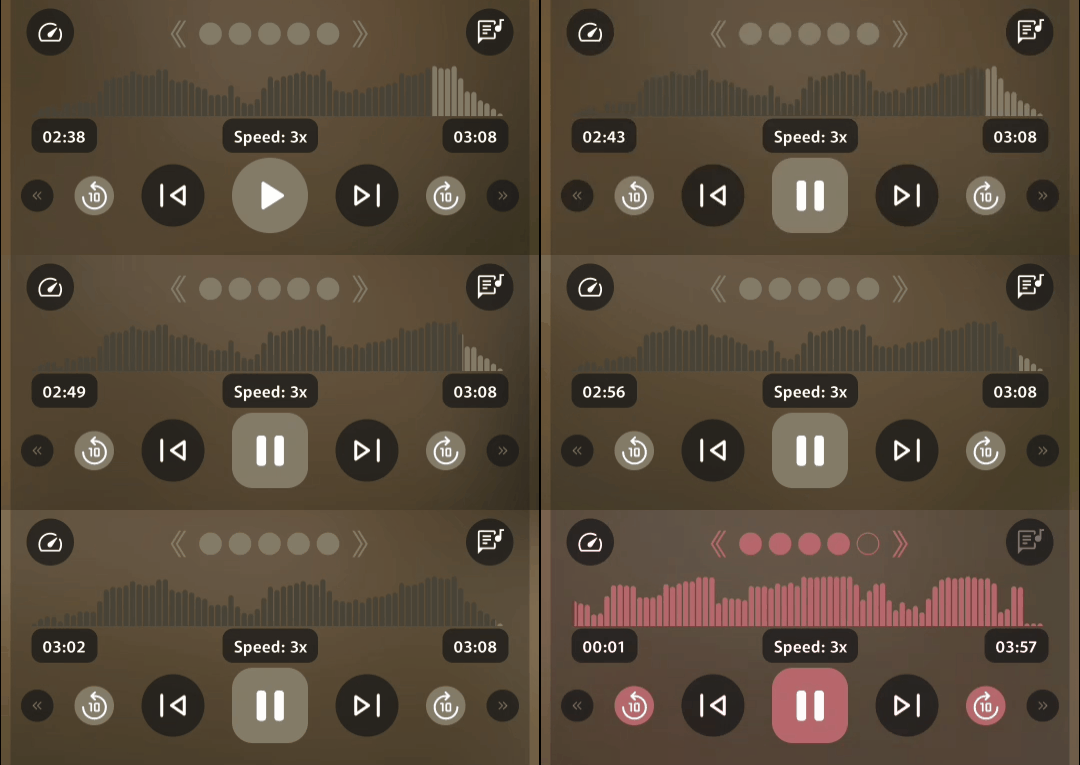
Seeked directly to 2:38 before starting playback. Thus 30s remaining at 3x speed means actual elapsed time is 10s. At end of track, player.position briefly jumped to 2:47, which is consistent with the +10s elapsed time.
Next track correctly begins at 0:00.
Log: Celorien_Speed05
- When Playback Speed is less than one (i.e. playing slow), the
player.position for the next track does not start at 0:00.
ISSUE: If the player does not reach the position of player.position within 20s (of real time elapsed), app will report “Unable to play media, make sure your device supports it” and skip to the next track.
(I can’t get the toast to show up for a screenshot but I know I’ve seen it.)
Initial player.position is based on actual elapsed time, just like above. Same track, seeked directly to 2:38 before starting playback. There are 30s remaining at 0.5x speed, so actual time elapsed is 45s.
Next track’s starting position was displayed as 0:15. (Actual audio correctly started from 0:00.) Playback is abruptly cut off and skips to the next track after an actual elapsed time of 20s.
NOTE: if the starting position is small enough to be reached (i.e. less than 0:10), playback will continue without issue.
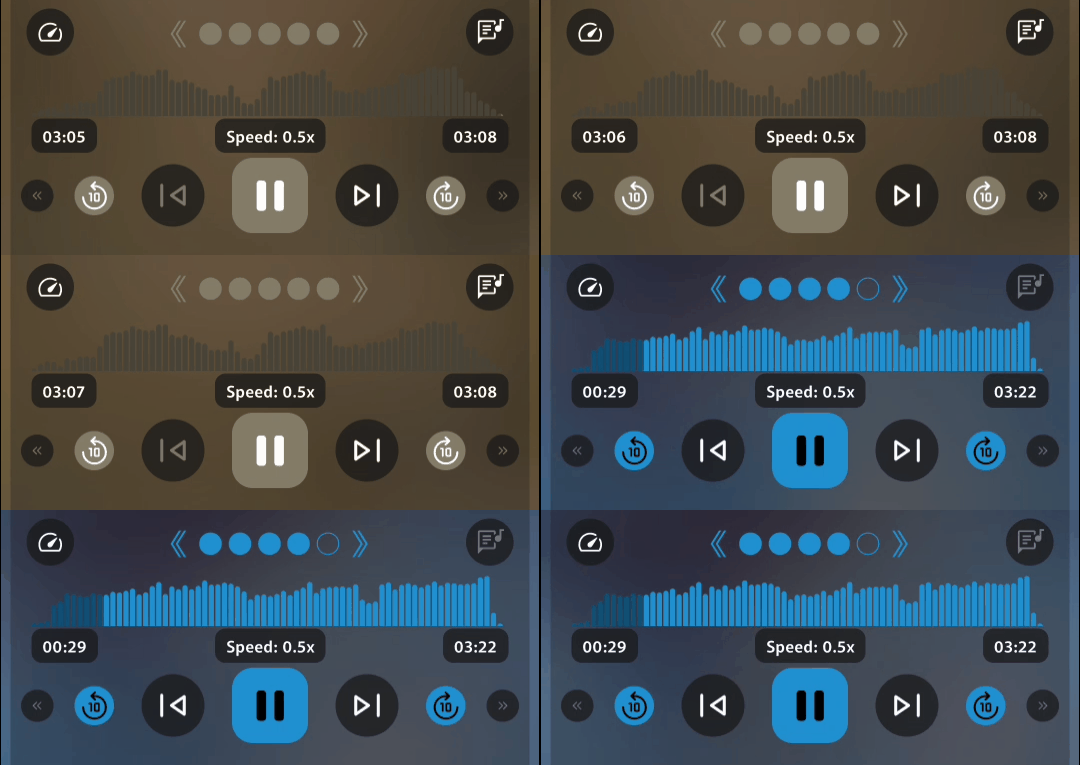
I started at 2:08 in this GIF so the numbers are different. Just showing the starting offset.
