App version
Production v15.0.0
Issue description
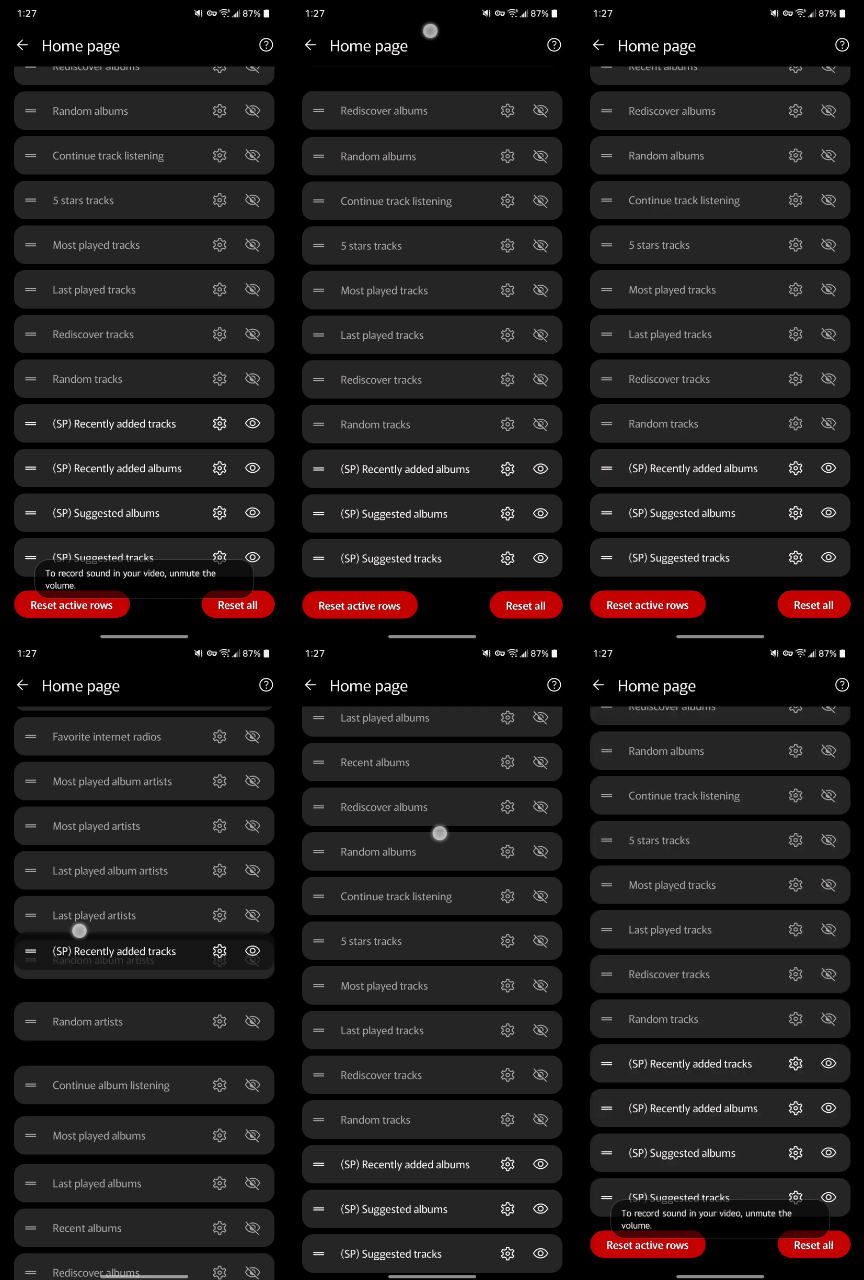
When rearranging Home page rows, dragging an entry to the top/bottom of the list is not scrolling up/down.
Instead it drops the row offscreen. Users must scroll & drag repeatedly to reach the top/bottom.
Device type
Phone
Media provider
All
Steps to reproduce
Edit Home page rows. Attempt to drag a row from the top to the bottom (or the opposite).
Additional information
GIF shows failure to scroll while dragged:
I searched existing issues first
on
I understand that logs are mandatory
on
Log upload name / description
Celorien_HomeRowDrag
Try going a bit higher up! I have to drag and move my finger right up to the status bar to get the fast scrolling to kick in
Does it actually scroll for you? If you look at the GIF you can see that for me it begins to scroll but then stops abruptly. At which point the app acts exactly as though I have let go and retouched–the item I was dragging is dropped off-screen and pulling back down will actually scroll the list slightly.
(Mind you this is in app v15. I know for sure the scrolling worked in earlier versions.)
Extra info for Tolriq:
I reinstalled old betas to check. This issue began between Beta 5 (build 127761) and Beta 6 (build 127769).
B5 was the last one to work correctly for me.
Yes, it does scroll for me (using the soft released Production 15 build).
It is slightly awkward to get right, and it feels like I’m having to drag the item almost up past the status bar and pause for a moment, then the fast scroll starts.
Can you try:
Press and hold on the very bottom Home page row
Drag the item all the way to the very top of your phone screen
Keep holding on it, and pause
The scrolling should begin
And the same works for scrolling down, I need to drag and hold the item on/past the nav bar and keep it steady then scrolling works.
Kinda difficult to precisely describe so best of luck with this!
Thanks for helping me figure this out.
After further testing, it turns out to be a bigger problem  Scrolling is not actually the issue. The actual issue is that any time I pause while dragging something, the app behaves abnormally.
When dragging almost ANYTHING in the app! The only thing unaffected seems to be rearranging tracks inside a playlist.
For drag-handles when rearranging items, the app drops the item at the position where I paused and instead begins scrolling from there.
Below you can see the difference between Beta 5 (blue) vs Soft 15 (red):


Notes: The trailing line would reset if I had let go at any time. (I don’t.) This is happening everywhere inside Settings. (For examples: rearranging Library shortcuts or Media Providers)
Media drag and drop also causes a quick scroll-to-position that shouldn’t happen:

The same happens when re-ordering the Now Playing queue:

Tested on a fresh install–same behavior. Seems this may not affect everyone, since you said in your steps that you are able actually pause while the app scrolls.
 Scrolling is not actually the issue. The actual issue is that any time I pause while dragging something, the app behaves abnormally.
