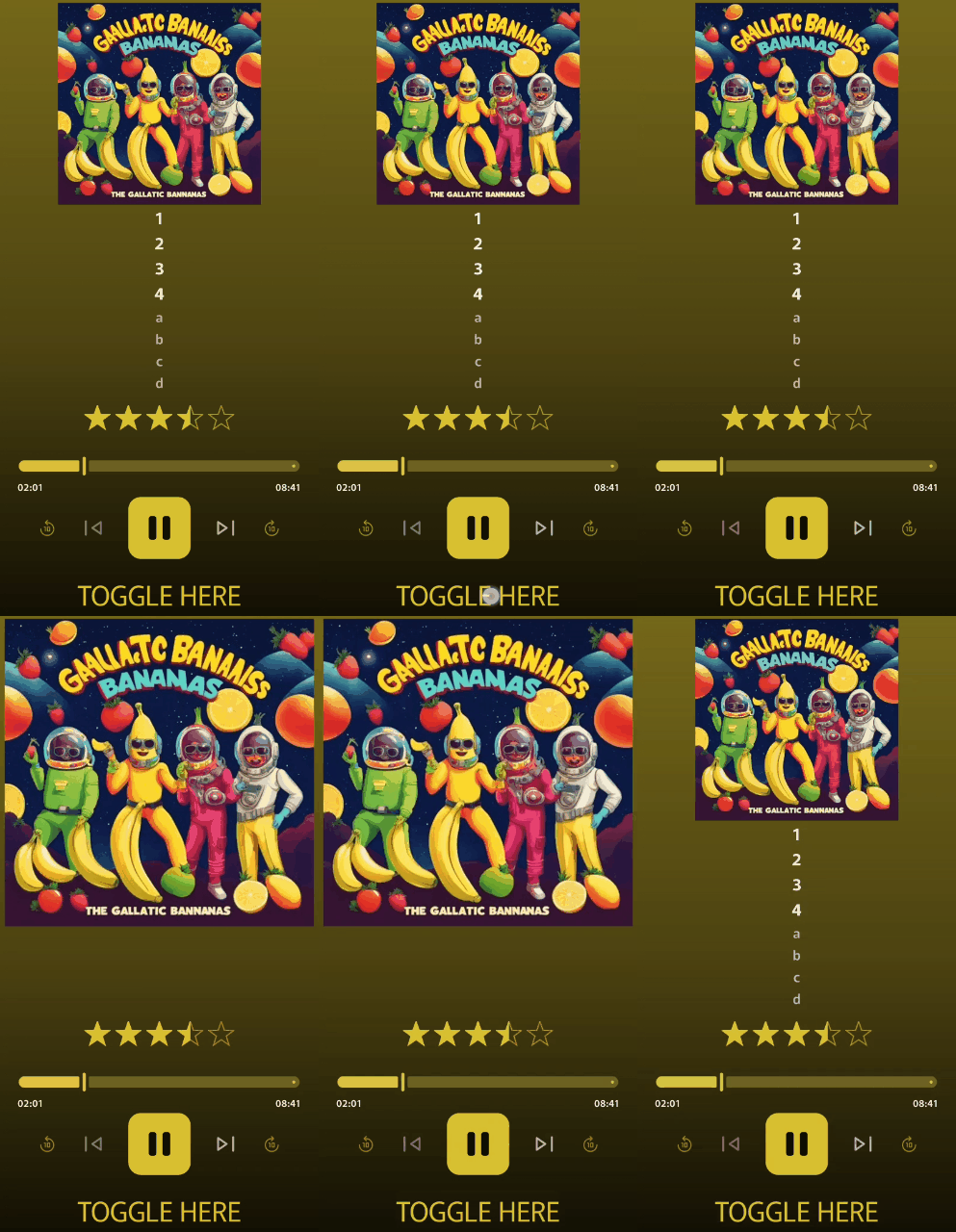
Feature description:
I would like the “Toggle bool” options to be available as a “Cover art” tap / long-press action. Specifically needed for the cover art itself, not its strings or the corner icons.
Problem solved:
Cannot currently toggle a bool via interaction with the cover art.
If you have a string set to show/hide based on the same bool that it sets… The string will leave for milk and not come back! 
Brought benefits:
Intended use case: to allow users to “maximize” the cover art.
How? In this beta, we can already tie visibility of variable-line strings to a bool’s state.
With this addition, the user would then be able to tap/long-press the cover art to toggle the bool, hiding those pesky strings and allowing the artwork to expand into the newly-freed space. User can then tap/long-press the art again to restore the previous state.
Other application solutions:
Additional description and context:
Proof of concept: