App version
Production
Issue description
This should be a similar issue to the recently posted backslash parsing.
If any custom string refers to a field which contains a string template, it is possible for the app to display the value of that template instead of the raw text.
This only occurs if the custom string surrounds the field in curly braces like this: {%title%} or {%title|SomeCondition%}
At which point any templates directly inside that field will be followed. (Only templates at depth of one, no nested templates will be followed.)
Device type
Phone
Media provider
Local device
Steps to reproduce
-
Tag a track with metadata including a string template.
-
Set any custom string to refer to that field inside curly braces.
-
The string will display the value of the template instead of treating it as a literal.
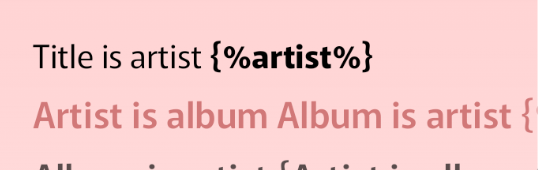
For example, set track’s title to be %artist%
Set the track’s artist to any value like John Smith
Set a custom string to {%title%}
This title string will display John Smith instead of displaying %artist%
Additional information
This occurs everywhere that custom strings can be used.
Without the curly braces, the metadata value is read as a literal. For the earlier example, using string %title% will correctly display %artist%
No nested templates are followed. Only those at the immediate level.
Multiple curly braces does not change the depth followed. Using string {{%title%}} will still parse only the immediate level. The results of that level will be surrounded by the remaining curly braces.
Some fields are unaffected (like Track Number) likely due to extra checks. (Track Number must be a number, so template is thrown out.)
This behavior has been present at least since app v13. One of the few things that I saw but didn’t post because I figured nobody else would run into it.
Screenshots


I searched existing issues first
on
I understand that logs are mandatory
on
Log upload name / description
Celorien_StringParser